What is Character AI, how to use it, and how to create a custom AI character
We’re going to explain how you can create an artificial intelligence character that you can then interact with. This is known as an AI Character, which literally means ” artificial intelligence character .” There are several websites and applications where you can create one, but the most famous and widely used is one.
And that’s what we’re going to show you: what you can expect from the Character AI website, which can be found at character.ai. There you can talk to AIs that simulate anime characters or famous personalities, as well as access personal assistants that can help you with other tasks or even teach you something new. We’ll also tell you about the process of creating your own character.
What is Character AI?
Character AI is the leading platform for creating and interacting with artificial intelligence characters , both your own and those created by others. It will be like talking to a human, but you’ll be interacting with a computer character.
Character AI is the leading platform for creating and interacting with artificial intelligence characters , both your own and those created by others. It will be like talking to a human, but you’ll be interacting with a computer character.
Interact with AI-generated characters
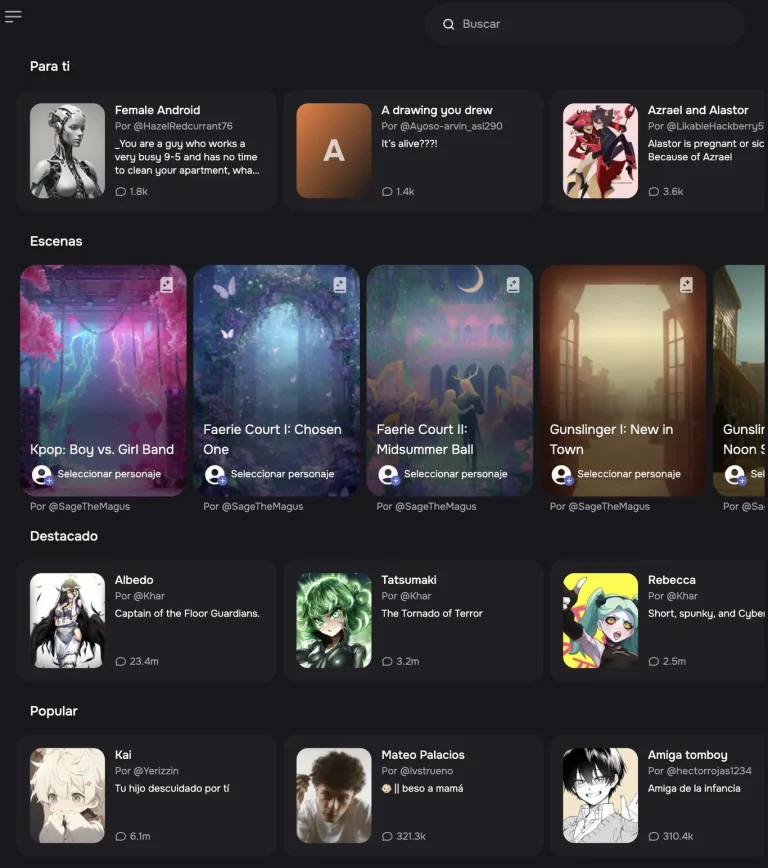
To interact with AI-generated characters, simply visit the character.ai website. On the homepage, you’ll find various AI characters created by other users. You can click on any of them to begin interacting, but you’ll need to create a personal account first.

After the row of recommendations, you’ll find several tabs with different themes. These allow you to browse through various types of creations, ranging from AI-powered virtual assistants and games to anime characters, video game characters, parodies, and much more. There are also AIs specifically designed for religion, animals, image generation, and language learning.
And when you tap on one of the AIs in the list, you can start interacting with it. When the AI represents a character, it will always respond as if it were that specific character . And with that, you can chat with this character whenever and however you want.
How to create your own AI character?
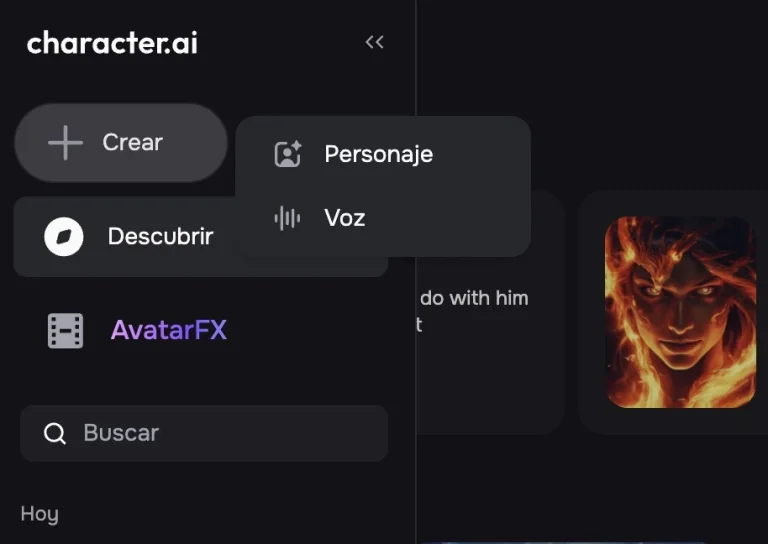
At character.ai, you can also create your own AI character. To do this, on the homepage, click on the Create option . Then, in the window that opens, click on Character to begin the process of creating one to your liking.
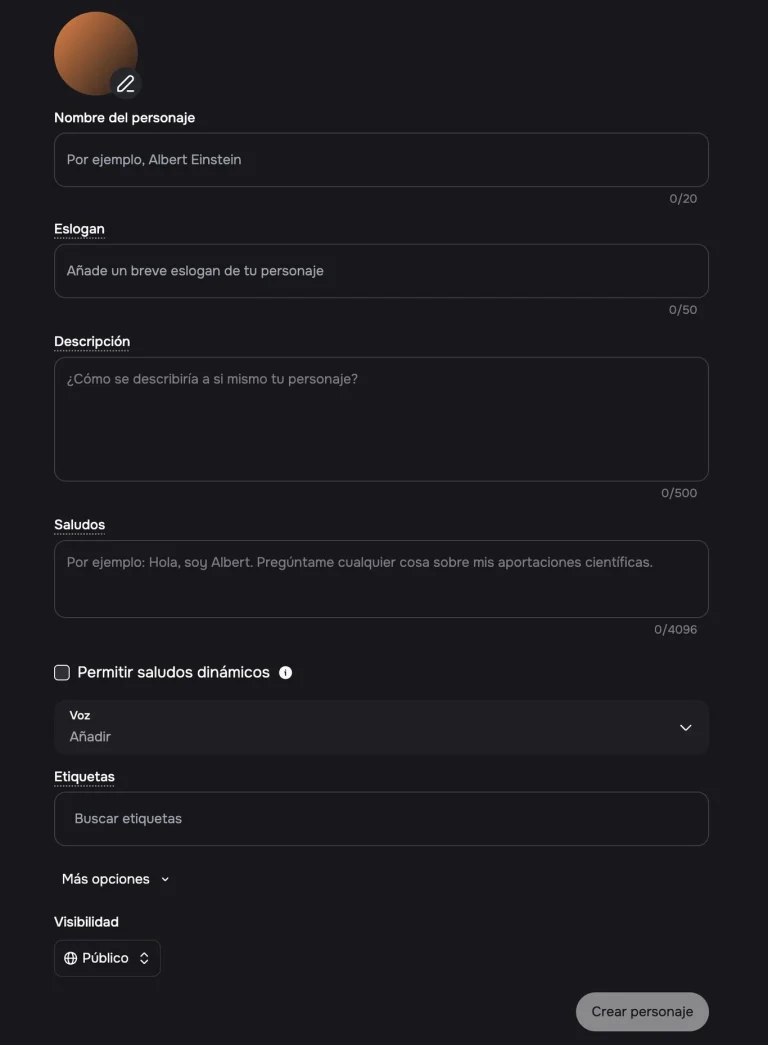
This will take you to the character creation screen, which includes a sort of main profile. Here, you’ll need to choose a name and a greeting for when someone interacts with the character. But the most important thing is to add a description, as this will define its behavior. You can also create a voice and define its visibility, as well as add tags.
If you click on More options , you’ll go to an advanced definition section. Here you can specify your character’s background , their backstory, or how you want them to speak or act. With all this, you can create the character however you like, inventing them from scratch or making them behave like a real person. My advice is to experiment and dedicate some time to this process, because it can be a bit complex.