
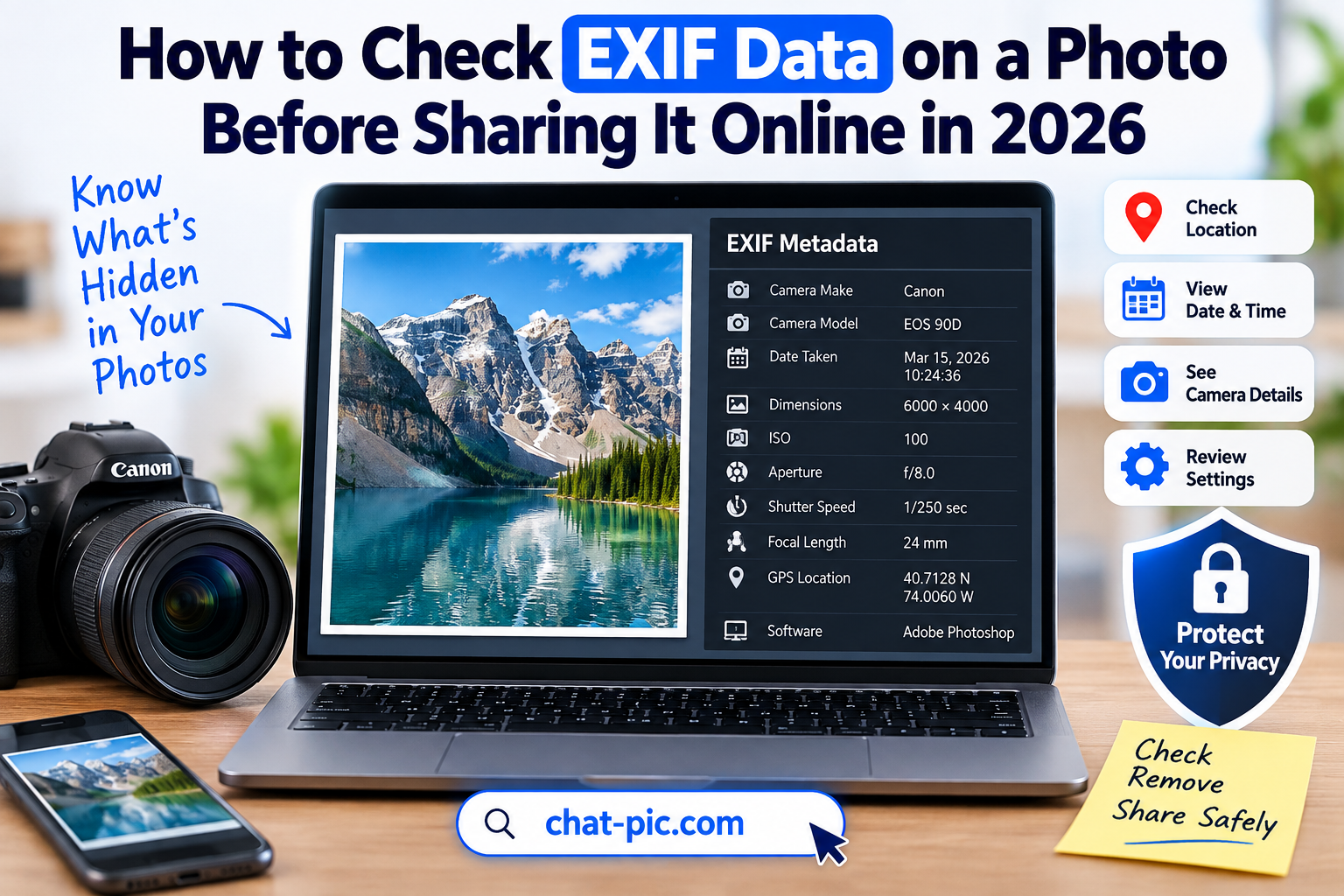
Want to check EXIF data on a photo before sharing it online? Photos can contain more information than what you see on the screen. Along with the visible image, some files can include hidden metadata such as the camera model, date and time, image dimensions, editing software, and sometimes GPS location.
This information is often useful. Photographers use EXIF data to review camera settings, while photo apps may use it to sort and organize images. However, some metadata may be unnecessary when you are sharing a photo publicly.
Checking image metadata before uploading gives you more control over what information leaves your device.
Chat Pic provides browser-based image tools that can help you prepare images before sharing, including an EXIF Metadata Remover for creating a cleaner sharing copy.
What Is EXIF Data?
EXIF stands for Exchangeable Image File Format.
EXIF is a type of metadata commonly stored inside digital photos.
When you take a picture using a smartphone, DSLR, mirrorless camera, or another digital camera, the device may save technical information alongside the image.
This information does not normally appear directly in the photo.
Instead, it is stored inside the image file.
EXIF data may contain:
- Camera manufacturer
- Camera model
- Date and time
- Image width and height
- Orientation
- ISO
- Aperture
- Shutter speed
- Focal length
- Exposure settings
- Flash information
- Editing software
- GPS coordinates in some cases
Not every photo contains all of these fields.
The amount of metadata depends on the device, software, camera settings, and how the image was exported.
Why Check EXIF Data on a Photo?
There are several useful reasons to inspect photo metadata.
Protect Your Privacy
Some images may contain information that you do not want to share publicly.
GPS coordinates are one of the most important examples.
If a photo contains location metadata, it may reveal where the image was captured.
This can matter when sharing photos taken at:
- Your home
- Workplace
- School
- Private events
- Hotels
- Vacation properties
- Family locations
Checking metadata first gives you a chance to remove unnecessary information.
Understand Camera Settings
Photographers often inspect EXIF data to learn how an image was captured.
For example, they may check:
- ISO
- Aperture
- Shutter speed
- Focal length
- Exposure mode
This can help photographers understand why a photo looks a certain way.
Confirm When a Photo Was Taken
EXIF metadata may include a capture date and time.
This can be useful for organizing photos or checking when an image was created.
However, remember that metadata can sometimes be edited, removed, or changed.
It should not automatically be treated as proof that a photo was taken at a specific time.
How to Check EXIF Data on a Photo
There are several ways to inspect image metadata.
You can use:
- Windows file properties
- macOS photo information
- Mobile photo apps
- Dedicated EXIF viewers
- Browser-based metadata tools
The easiest option depends on your device.
The important thing is to inspect the file before sharing it publicly if privacy matters.
Step 1: Keep the Original Photo
Before changing anything, keep your original image.
This is useful because metadata can contain valuable information.
For example, photographers may want to preserve:
- Camera settings
- Capture date
- Lens information
- GPS location
- Copyright information
Instead of permanently changing the only copy, create a separate version for online sharing.
Step 2: Open the Photo Information
Most operating systems provide basic image information.
You may be able to see:
- File size
- Dimensions
- Date created
- Date modified
- Camera information
- Image format
More detailed EXIF data may require a dedicated viewer.
Step 3: Look for GPS Information
If privacy is your main concern, pay special attention to location-related fields.
These may include:
- GPS latitude
- GPS longitude
- GPS altitude
- GPS timestamp
- Direction
If you see location coordinates and do not want them included, remove the metadata before sharing.
Step 4: Create a Clean Sharing Copy
After checking the metadata, you can create a separate copy without unnecessary information.
You can use Chat Pic’s free EXIF Metadata Remover.
Internal link:
This allows you to keep the original file while creating a cleaner version for public sharing.
What Information Can EXIF Data Reveal?
EXIF information varies from image to image.
Some files may contain only basic technical data.
Others may contain much more.
Camera Information
EXIF may show:
- Camera brand
- Camera model
- Lens model
- Firmware
This information is useful for photographers but may be unnecessary for casual sharing.
Exposure Information
Technical settings may include:
- ISO
- Aperture
- Exposure time
- Exposure compensation
- Metering mode
- Flash settings
These fields are useful when studying photography techniques.
Date and Time
Many cameras store the date and time when a photo was captured.
This can help with organization.
However, camera clocks can be incorrect, and metadata can be modified.
Image Dimensions
Metadata may include the width and height of the photo.
For example:
4032 × 3024 pixels
or:
6000 × 4000 pixels
These dimensions can help you decide whether the image should be resized before uploading.
Can EXIF Data Contain GPS Location?
Yes, some photos can contain GPS coordinates.
This generally happens when a device has location access enabled for the camera.
A GPS-enabled photo may include latitude and longitude.
Depending on the software, this information may even be displayed on a map.
However, not every photo contains GPS data.
Location information may be absent because:
- Camera location access was disabled
- The device does not support GPS
- The metadata was already removed
- The photo was edited or exported
- A platform processed the image
The safest approach is to check instead of assuming.
How to Check EXIF Data on Windows
Windows can display some image metadata directly.
A typical method is:
- Right-click the image.
- Select Properties.
- Open the Details tab.
- Review the available information.
You may see details such as:
- Dimensions
- Camera model
- Date taken
- ISO
- Exposure
- Focal length
The exact fields depend on the image.
Windows may not display every metadata field available in the file.
How to Check EXIF Data on Mac
On macOS, photo information can be viewed using built-in applications.
Depending on the app, you may be able to inspect:
- Dimensions
- Capture date
- Camera information
- Location
- Other file details
For deeper inspection, a dedicated metadata tool may provide more information.
How to Check Photo Metadata on Android
Android devices may display some image details inside the gallery or photo app.
Depending on the phone and software version, you may see:
- Date
- Time
- Dimensions
- File size
- Location
Some devices may show a map when location data is available.
The exact interface varies between phone manufacturers and apps.
How to Check Photo Metadata on iPhone
iPhones can display information about photos inside the Photos app.
Depending on the image, this may include:
- Capture date
- Camera
- Lens
- File details
- Location
If location information exists, it may be shown alongside the photo details.
Before sharing sensitive images, review the information and create a cleaned version if necessary.
Can You Check EXIF Data Online?
Yes.
Online EXIF viewers can inspect metadata stored inside uploaded images.
However, privacy should be considered before uploading sensitive images to third-party services.
If a photo contains private information, use a tool you trust and understand how it handles uploaded files.
Browser-based tools that process images locally can be useful because the image may not need to be sent to a remote server, depending on how the tool is built.
EXIF Data vs File Properties
File properties and EXIF data are related but not exactly the same.
File properties may include:
- File name
- File size
- Creation date
- Modification date
EXIF metadata may include:
- Camera model
- Lens
- Exposure settings
- GPS coordinates
- Capture time
Some operating systems display both together.
EXIF vs IPTC vs XMP
EXIF is only one type of metadata that can appear inside image files.
EXIF
Usually contains camera and technical information.
IPTC
Often used by photographers, media organizations, and publishers.
It may contain:
- Author name
- Copyright
- Caption
- Keywords
- Contact information
XMP
XMP metadata is commonly used by editing software.
It may contain:
- Ratings
- Labels
- Editing details
- Descriptions
- Copyright information
This means checking only EXIF may not always reveal every piece of metadata stored inside an image.
Can EXIF Data Be Changed?
Yes.
Metadata can be edited, removed, or replaced.
Some apps let users modify capture dates and locations.
Editing software may also change or rewrite metadata.
For this reason, EXIF information should not automatically be treated as proof that an image is authentic or unedited.
It is best viewed as information stored in the file.
Can EXIF Data Be Fake?
Yes.
Because metadata can be edited, someone can potentially change fields such as:
- Date
- Camera model
- Location
- Description
Therefore, EXIF data alone cannot reliably verify whether a photo is genuine.
For authentication or forensic purposes, additional evidence is normally needed.
Does Social Media Remove EXIF Data?
Social platforms often process uploaded images, which may remove or modify some metadata.
However, platform behavior can change.
Different upload methods may also produce different results.
Because of this, users should not rely entirely on a social platform to remove sensitive metadata.
If privacy matters, remove unnecessary metadata before uploading.
Does WhatsApp Remove EXIF Data?
Messaging apps may process images differently depending on how the file is sent.
For example, sending an image as a photo may be handled differently from sending the original file as a document.
Because these behaviors can change, the safest privacy approach is to clean metadata before sending the file.
Does Email Preserve EXIF Metadata?
Email attachments can preserve the original image file.
If you attach a photo directly, its metadata may remain.
This matters if you are sending photos taken at private locations.
If privacy matters, create a cleaned sharing copy first.
Does Image Compression Remove EXIF Data?
Sometimes, but not always.
Some image compression tools remove metadata during optimization.
Others preserve it.
Therefore, a smaller file does not automatically mean that metadata is gone.
You can use Chat Pic’s Image Compressor to reduce file size when needed:
But if metadata removal is important, use a dedicated metadata-removal step as well.
Does Resizing Remove EXIF Data?
Not necessarily.
An image resizer may:
- Preserve metadata
- Remove metadata
- Rewrite some fields
The behavior depends on the software.
If you resize images before sharing, verify the final file or remove metadata afterward.
Chat Pic’s Image Resizer can help adjust dimensions:
Why Check Metadata Before Posting Marketplace Photos?
Marketplace photos may be taken inside or near your home.
If a photo includes GPS data, location information may be unnecessary for the listing.
Also check the visible content of the image.
Look for things such as:
- House numbers
- Street signs
- Documents
- Vehicle plates
- Family photos
- Computer screens
Metadata checking is useful, but visible information can sometimes reveal much more.
Check EXIF Data Before Sharing Family Photos
Family photos deserve extra care.
A photo may contain:
- Location
- Capture time
- Device details
The visible background may also show:
- School uniforms
- Home interiors
- Street names
- Personal documents
Before sharing publicly, inspect both the image and its metadata.
Check Metadata Before Sharing Travel Photos
Travel photos often contain location information.
This can be useful for remembering a trip, but it may not always be necessary to share those coordinates publicly.
If you want to preserve GPS information for your private collection, keep the original photo and upload a metadata-cleaned copy.
Check EXIF Data Before Publishing Blog Images
Bloggers frequently upload images directly from phones or cameras.
This can lead to unnecessary metadata being stored with public website files.
A good workflow is:
Original photo → Resize → Compress → Check metadata → Remove unnecessary metadata → Upload
This helps prepare images for both performance and privacy.
Check EXIF Data Before Uploading WordPress Images
WordPress website owners should avoid uploading huge camera originals when a smaller image is sufficient.
Before upload:
- Check image dimensions.
- Resize if needed.
- Compress the image.
- Check metadata.
- Remove unnecessary metadata.
- Upload the optimized copy.
This can reduce unnecessary file size and metadata.
Can EXIF Data Affect SEO?
EXIF metadata is not something you should rely on as a primary SEO strategy.
For website image optimization, more important factors generally include:
- Relevant image content
- Descriptive file names
- Useful alt text
- Appropriate dimensions
- Fast loading
- Image quality
- Page relevance
Metadata can still be useful for organization and professional workflows, but it should not replace normal image SEO practices.
Should You Delete All Photo Metadata?
Not always.
Some metadata may be useful or important.
For example, professional photographers may want to preserve:
- Copyright information
- Creator name
- Camera settings
- Licensing information
If you publish professional work, removing all metadata may not be ideal.
The better approach is to remove only information that is unnecessary for the public version.
EXIF Data for Photographers
Photographers use EXIF information to study their images.
For example, EXIF can help answer questions like:
- What aperture did I use?
- What shutter speed produced this result?
- Which lens was used?
- What ISO setting was selected?
Because this information can be valuable, photographers should usually keep original files with full metadata.
A separate web version can be cleaned for public sharing.
EXIF Data for Businesses
Businesses may share photos of:
- Products
- Offices
- Employees
- Warehouses
- Events
- Construction sites
Before publishing, they may want to inspect metadata to ensure that unnecessary location or device information is not included.
The visible photo should also be reviewed for confidential information.
How to Remove EXIF Data After Checking It
Once you have checked the image and identified unnecessary metadata, create a clean version.
You can use Chat Pic’s EXIF Metadata Remover:
A simple workflow is:
Keep original → Check metadata → Remove unnecessary metadata → Save clean copy → Share
This provides better control than relying on a website or social platform to remove the metadata later.
How to Check EXIF Data on a Photo Without Changing It
Simply viewing metadata should not change the image itself.
You can inspect the information and decide whether to leave it untouched or create a separate cleaned copy.
This is useful when you want to preserve the original file exactly as it is.
Can Removing Metadata Reduce Image Quality?
Removing metadata alone should not reduce the visible quality of the photo.
Metadata is stored separately from the image pixels.
However, if an application re-encodes or recompresses the photo during export, image quality could change.
Always inspect the final output if maintaining quality is important.
Best Photo Privacy Workflow
A practical privacy workflow looks like this:
Keep the original image
Then:
Check visible content
Then:
Check EXIF data
Then:
Resize if necessary
Then:
Compress if necessary
Then:
Remove unnecessary metadata
Finally:
Share the clean copy
This gives you control over both image quality and privacy.
Common Mistakes When Checking Photo Metadata
Assuming Every Photo Has GPS Data
Many photos do not contain location metadata.
Always check instead of assuming.
Assuming No GPS Means No Metadata
Even without location information, a photo may contain camera details, dates, or software information.
Deleting the Original Photo
Keep the original if the metadata may be useful later.
Trusting Metadata as Proof
Metadata can be edited.
It should not be treated as absolute proof of when or where a photo was taken.
Ignoring Visible Information
Removing EXIF data does not hide visible details inside the image.
Always inspect the photo itself.
Frequently Asked Questions
How do I check EXIF data on a photo?
You can inspect EXIF data using file properties, photo apps, dedicated metadata viewers, or browser-based tools.
Can EXIF data show where a photo was taken?
Yes, some images may contain GPS latitude and longitude if location tagging was enabled.
Does every image contain EXIF data?
No. Some images contain extensive metadata, while others contain very little or none.
Can screenshots have EXIF data?
Screenshots generally do not contain normal camera EXIF information such as aperture or lens details, but they can still contain other file metadata.
Can EXIF metadata be edited?
Yes. EXIF fields can be modified or removed using various applications.
Does resizing remove EXIF data?
Not always. It depends on the resizing tool and export process.
Does compression remove EXIF data?
Some compressors remove metadata while others preserve it. Check the final file if privacy matters.
Is GPS data automatically included in phone photos?
It depends on the device settings and whether the camera has permission to access location services.
Can I remove EXIF data without damaging the photo?
Yes. Removing metadata alone should not change the visible image.
Should I remove metadata before uploading photos?
If the metadata contains information you do not want to share, removing it before upload gives you better control.
Final Thoughts
Learning how to check EXIF data on a photo is a simple way to understand what hidden information may be stored inside an image before you share it.
Most metadata is harmless and often useful. Camera settings, dates, and technical details can help photographers and photo-management software.
However, information such as GPS location may be unnecessary when publishing a photo publicly.
The best approach is not to fear metadata but to understand it.
Keep your original images, inspect the metadata when privacy matters, remove information you do not need in the public copy, and then share the cleaned version.
With Chat Pic’s image tools, you can check your sharing workflow, resize images, compress files, and remove unnecessary EXIF metadata before uploading photos online.
1 thought on “How to Check EXIF Data on a Photo Before Sharing It Online in 2026”