
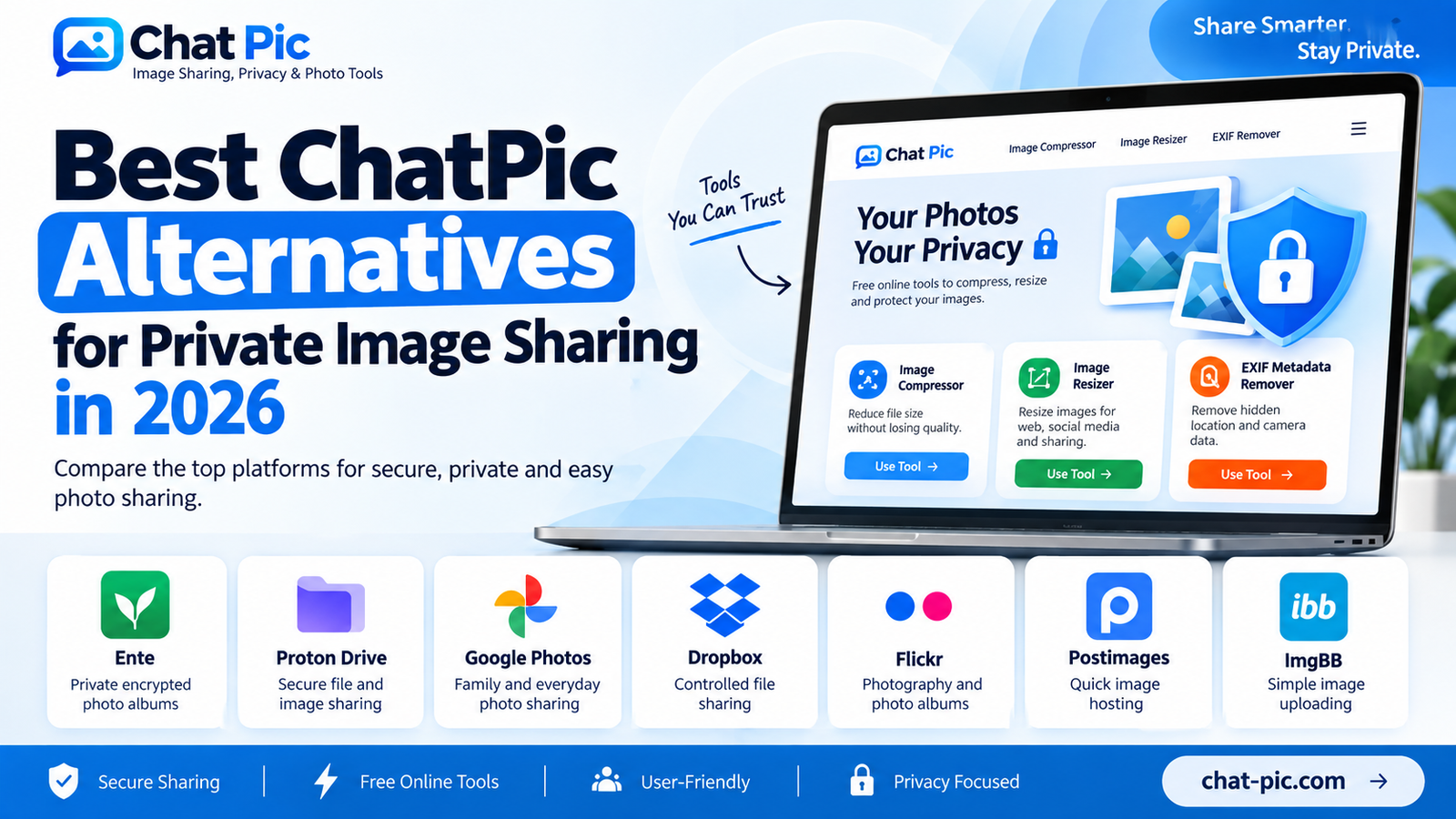
Sharing a photo online takes only a few seconds, but choosing how and where to share it deserves more thought. A public image-hosting link, a family photo album, and an encrypted private share are not the same thing.
If you are searching for ChatPic alternatives in 2026, the best choice depends on what you actually need. Some people want a quick image link without complicated setup. Others want encrypted storage, controlled access, private family albums, or a way to share photos without exposing unnecessary metadata.
If you are also looking for sites like ChatPic or similar image-sharing platforms, this guide compares practical options for privacy, ease of use, and photo sharing.
This guide compares several useful ChatPic alternatives based on privacy, ease of sharing, link controls, photo-focused features, and everyday usability.
Before uploading a sensitive image anywhere, remember one important rule: a shareable link can often be forwarded to someone else. Privacy therefore depends not only on the platform, but also on who receives the link and what access controls you use.
Best Sites Like ChatPic: What Should You Look For?
The best sites like ChatPic should make photo sharing simple while giving users clear control over privacy, links, image quality, and access. The right option depends on whether you need quick public sharing, private albums, encrypted storage, or temporary image links.
Quick Comparison of ChatPic Alternatives
| Service | Best For | Privacy Level | Easy Link Sharing |
|---|---|---|---|
| Ente | Private encrypted photo albums | Very High | Yes |
| Proton Drive | Secure photo/file sharing | Very High | Yes |
| Google Photos | Family and everyday photo sharing | Good with correct settings | Yes |
| Dropbox | Controlled file and image links | Good | Yes |
| Flickr | Photo albums and photography | Adjustable | Yes |
| Postimages | Quick image hosting | Low for sensitive photos | Yes |
| ImgBB | Fast simple image uploads | Basic | Yes |
There is no single service that is best for everyone. For highly sensitive photos, encrypted platforms such as Ente or Proton Drive are more appropriate. For casual albums, Google Photos or Flickr may be more convenient. For simple forum or website image hosting, Postimages and ImgBB are easier but should not be treated as highly private storage.
1. Ente – Best for Privacy-Focused Photo Albums
Ente is one of the strongest choices for users whose main priority is photo privacy.
Its sharing system uses end-to-end encryption, including for shared albums. Ente explains that public-link content remains end-to-end encrypted, with the decryption information contained in the shared link rather than being sent to its servers. It also supports additional protections such as password protection and link expiration for sensitive sharing.
Why Ente stands out
Unlike traditional public image hosts, Ente is designed around private photo storage rather than simply creating public image URLs.
This makes it useful for:
- Personal family albums
- Travel photos
- Private event photographs
- Sensitive image archives
- Sharing selected albums with trusted people
A recipient can access a shared album while the underlying photo-sharing architecture remains encrypted. However, there is still an important limitation: anyone who receives a public sharing link may potentially use it, so the link itself should be treated as sensitive.
Best choice for
Ente is one of the best ChatPic alternatives when you want a photo-centered experience with strong privacy protections.
2. Proton Drive – Best for Secure Image Links
Proton Drive is another strong option when privacy matters more than social features.
According to Proton, files are encrypted on the user’s device before storage, and its protection covers not only file contents but also metadata such as filenames, extensions, sizes, and thumbnails. Proton also supports sharing files and folders through links that recipients can open without creating a Proton account.
That makes it particularly useful when you want to send someone a private photo without uploading it to a traditional public image-hosting website.
Useful situations
Proton Drive works well for:
- Sharing confidential photographs
- Sending original high-resolution images
- Private client image delivery
- Sharing small photo collections
- Keeping images separate from public social networks
Its focus is secure storage and file sharing rather than public image discovery.
Ente vs Proton Drive
Choose Ente if you want a private photo-library experience.
Choose Proton Drive if you mainly want encrypted storage with secure file and folder sharing.
Both are stronger choices than public image hosts when the image itself is sensitive.
3. Google Photos – Best for Family and Everyday Sharing
Google Photos remains one of the easiest options for ordinary photo sharing because many people already have a Google account.
Backed-up photos are private by default unless the user chooses to share them. Google Photos supports direct sharing with contacts, shared albums and shareable links.
However, users should understand the difference between direct sharing and link sharing.
Google states that when you create an album link, anyone who has that link may be able to view the shared content. Link sharing can later be switched off, although copies that recipients have already downloaded cannot be remotely deleted from their devices.
Google Photos is good for
- Family albums
- Vacation photos
- Events
- Sharing with known contacts
- Collaborative albums
- Phone photo backup
Privacy tip
For personal photos, sharing directly with specific Google accounts is generally preferable to posting the album link publicly.
Do not place private Google Photos links on public forums, social media comments, or pages indexed by search engines.
4. Dropbox – Best for Controlled File Sharing
Dropbox is not specifically an image-hosting service, but it can work very well when you need to share photographs as files.
Dropbox says files remain private unless the user deliberately shares them. A view-only link can also be opened by a recipient without requiring that person to have a Dropbox account.
Some paid Dropbox plans provide extra controls such as:
- Password-protected links
- Link expiration
- Additional shared-link permissions
These controls make Dropbox particularly useful for professional image delivery.
Good use cases
Dropbox works especially well for:
- Photographers sending images to clients
- Website owners sharing graphics
- Design teams exchanging assets
- Sending multiple full-resolution photos
- Sharing downloadable files without publishing them openly
It is less suited to someone who simply wants a public image page, but much better when access control matters.
5. Flickr – Best for Photography and Controlled Albums
Flickr is more photography-focused than most general file-storage services.
Users can manage who sees individual photos and can adjust privacy and permissions for their account. Flickr also allows photographers to control aspects such as viewing and downloading permissions.
This makes Flickr useful for users who want more than just an image link.
You can organize images into albums and use the service as a photography portfolio, collection, or sharing platform.
Important EXIF warning
Photographers should pay attention to metadata.
Flickr states that it can display EXIF information associated with uploaded photographs. Camera-generated GPS coordinates can also exist in EXIF metadata, although users can control related privacy settings.
For this reason, it is a good idea to remove unnecessary metadata before uploading privacy-sensitive photographs.
On Chat Pic, you can use our EXIF Metadata Remover before sharing an image:
This creates a fresh image copy without relying on the destination website to handle the original metadata for you.
6. Postimages – Best for Fast Public Image Hosting
Postimages is closer to a traditional image-hosting service.
It is designed for sharing images on:
- Forums
- Websites
- Blogs
- Social platforms
Its free service currently allows image uploads up to 32 MB, while paid tiers offer higher limits and additional features.
Postimages can therefore be useful when you simply need a hosted image URL.
However, it should not be confused with private encrypted storage.
Postimages itself states that users needing real privacy for an image collection should consider services designed specifically for private image storage. Its documentation also notes that original EXIF metadata is retained by default, while registered users can enable metadata removal in settings; anonymous uploads retain their original EXIF information.
Best use
Use Postimages for ordinary, non-sensitive images such as:
- Forum screenshots
- Website graphics
- Product examples
- Public reference images
- Images intended for embedding
Avoid using it for highly personal photographs that require strong access control.
7. ImgBB – Best for Simple Image Uploading
ImgBB provides a straightforward upload interface where users can upload images from a computer, paste images, or add image URLs. Its upload interface also provides image editing or resizing options.
Its simplicity makes it attractive for users who do not need a complicated photo-management platform.
ImgBB can be useful for
- Quick image links
- Screenshots
- Blog images
- Forum images
- Public graphics
- Temporary sharing workflows
For private or highly sensitive content, however, a security-focused storage platform is a more appropriate choice.
The easiest platform is not automatically the safest platform.
Which ChatPic Alternative Is Best for Privacy?
If privacy is the main concern, our preferred order is:
Ente → Proton Drive → controlled Dropbox sharing → Google Photos with carefully configured sharing
Public image hosts such as Postimages or ImgBB are more useful when convenience and easy embedding matter more than strict privacy.
The right decision therefore depends on the image.
A public meme and a private family photograph should not necessarily be uploaded to the same type of service.
Private Image Sharing vs Anonymous Image Hosting
These two concepts are often confused.
Private image sharing
Private sharing tries to control who can access the photo.
Examples include:
- Inviting specific users
- Password-protected links
- Expiring links
- End-to-end encrypted albums
- Account-controlled access
Anonymous image hosting
Anonymous hosting generally means you can upload without creating a traditional account or without attaching your public identity to the upload.
That does not automatically mean the image is private.
If anyone with the URL can open the image, it is still effectively link-accessible content.
Therefore:
Anonymous does not mean encrypted.
Unlisted does not mean impossible to share.
A secret URL does not prevent a recipient from copying the image.
Remove Photo Metadata Before Sharing
One of the easiest privacy improvements is cleaning unnecessary metadata from an image before uploading it.
A photo file can contain information such as:
- Camera model
- Capture date
- Editing software
- Image dimensions
- Device information
- In some cases, GPS location data
Not every photograph contains sensitive metadata, but checking before public sharing is a sensible habit.
You can use the free Chat Pic tool:
EXIF Metadata Remover:https://chat-pic.com/exif-metadata-remover/
The tool processes the image in your browser and creates a clean copy for downloading.
Compress Images Before Uploading
Large photographs can take longer to upload or send.
Before using an image-sharing platform, you can reduce the file size with:
Chat Pic Image Compressor:https://chat-pic.com/image-compressor/
Compression is useful for:
- Websites
- Emails
- Forums
- Social sharing
- Messaging
- Uploading over slower connections
For photographs, WebP or an appropriately compressed JPG can often provide a useful balance between image quality and file size.
Keep your original file separately if image quality is important.
Resize Images Before Sharing
Sometimes you do not need to send a 4K or extremely high-resolution photograph.
Sharing a smaller copy can:
- Reduce upload time
- Lower file size
- Make website images easier to manage
- Prevent unnecessarily distributing the full-resolution original
Use:
Chat Pic Image Resizer:https://chat-pic.com/image-resizer/
You can change image dimensions while maintaining the original aspect ratio.
How to Choose the Right Image-Sharing Service
Before uploading a photograph, ask yourself four questions.
Is the image sensitive?
If yes, prioritize encryption and access control.
Consider Ente or Proton Drive instead of a public image host.
Does the recipient need an account?
If you need simple access for someone without an account, services that support shareable links may be more convenient.
Remember that a link can also be forwarded.
Do I need the original resolution?
For professional photography or design files, choose a service that supports full-resolution downloads.
For casual sharing, a resized copy may be enough.
Do I want the image publicly discoverable?
A photography portfolio may benefit from public visibility.
A passport scan, private family photograph, medical document, personal ID or confidential business image should never be treated like public content.
Safety Checklist Before Sharing a Photo
Before creating an image-sharing link:
- Check whether the photograph contains private information.
- Remove unnecessary EXIF metadata.
- Crop out addresses, documents, computer screens or identifying details if necessary.
- Resize the image if full resolution is not required.
- Choose a service appropriate for the sensitivity of the image.
- Use password protection or expiration controls when available.
- Send private links only to intended recipients.
- Do not assume deleting a link will delete copies someone already downloaded.
These small steps can provide significantly better protection than simply choosing the first image host that appears in search results.
Frequently Asked Questions
What is the best ChatPic alternative in 2026?
There is no single best service for every user. Ente is a strong choice for encrypted photo albums, while Proton Drive is excellent for secure file and photo sharing. Google Photos is convenient for family sharing, and services such as Postimages are useful for public image hosting.
Which image-sharing platform is best for private photos?
For privacy-sensitive images, end-to-end encrypted services such as Ente or Proton Drive are generally stronger options than traditional public image-hosting websites.
Can someone see my photo if they get the sharing link?
On many services, yes. A person who obtains an active public sharing link may be able to access the shared content. Google Photos explicitly warns that anyone with a shared album link can view its contents, for example.
Is anonymous image hosting completely private?
No. Anonymous uploading and private access are different things. An anonymous upload may still be accessible to anyone who obtains its URL.
Should I remove EXIF data before uploading images?
For privacy-sensitive or public images, removing unnecessary metadata is a sensible precaution, especially when location information might be embedded in the file.
Can I share an image without creating an account?
Some image-hosting services allow simple uploads, while several storage platforms let recipients open shared links without registering. For example, Proton Drive and Dropbox both support certain link-based access without requiring the recipient to create an account.
Final Thoughts
The best ChatPic alternative depends on whether you prioritize privacy, convenience, photography features, storage, or quick public hosting.
For privacy-focused sharing, Ente and Proton Drive stand out. For everyday family albums, Google Photos remains convenient when sharing permissions are used carefully. Dropbox is useful for professional file delivery, while Flickr remains valuable for photographers. Postimages and ImgBB are better suited to ordinary public image hosting than confidential photo storage.
Choosing the right ChatPic alternatives depends on whether you need privacy, quick hosting, or easy photo sharing.
Whatever service you choose, do not rely only on the platform to protect your privacy.
Before sharing, consider removing metadata, resizing unnecessary high-resolution images, and checking exactly who can access the final link.
That combination gives you much more control over how your photos travel online.