Free Online Image Tools to Compress, Resize & Convert Photos
Use Chat Pic’s free online image tools to compress, resize, crop, convert and extract text from your images right in your browser. Fast, simple and private, with no sign-up needed.
✓ 100% Free ✓ Works in Your Browser ✓ No Sign-Up

Popular Free Online Image Tools
Pick from our most-used online image tools to compress, resize, crop, convert and extract text from images in seconds.
Image Compressor
Reduce image file size while keeping good visual quality.
Image Resizer
Resize photos for websites, social media and online sharing.
EXIF Metadata Remover
Remove hidden location and camera information from photos for better privacy.
Image Cropper
Crop JPG, PNG and WebP images with custom ratios, zoom and rotate.
JPG to PNG Converter
Convert JPG and JPEG images to PNG quickly and privately in your browser.
Image to Text Converter
image-to-text converter uses Optical Character Recognition (OCR) technology to extract printed or handwritten text from pictures
PNG to JPG Converter
Convert PNG images to JPG with adjustable quality and background color directly in your browser.
WebP Converter
Convert JPG, PNG and WebP images with adjustable quality directly in your browser.
Why Use Chat Pic Online Image Tools?
Chat Pic offers free online image tools for people who want quick, simple ways to work with their pictures. Compress, resize, crop and convert images, remove EXIF metadata or extract text from a picture, all in your browser and without complicated settings.
Browser-Based Tools
Your images are processed directly in your browser for a faster and more private experience.
Simple & Free
Use practical online image tools without complicated settings or technical knowledge.
Privacy Focused
Resize, compress and remove unnecessary photo metadata before sharing images online.
Online Image Tool Guides & Tips
Read our latest guides on using online image tools to compress, resize, convert and protect your images before sharing them.
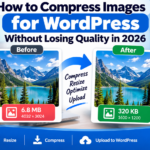
- How to Compress Images for WordPress Without Losing Quality in 2026
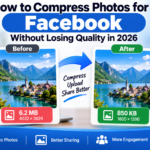
- How to Compress Photos for Facebook Without Losing Quality in 2026
- How to Compress Photos for WhatsApp Without Losing Quality in 2026

- How to Stop Photos From Saving Location Data on iPhone and Android in 2026

- How to Resize a Photo for Online Forms Without Losing Quality in 2026

- How to Make an Image Smaller for Email Without Losing Quality in 2026
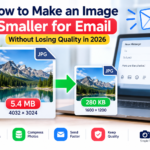
Choose the Right Online Image Tool
Whether you are preparing photos for a website, sharing an image online or turning a picture into editable text, Chat Pic’s free online image tools cover the most common jobs in one place. Pick the tool that matches what you need to do.
Optimize Images
Make images lighter and the right size with the Image Compressor, Image Resizer and Image Cropper.
Protect Your Privacy
Photos can carry hidden camera and location details. Use the EXIF Metadata Remover to create a cleaner copy before you share.
Convert Formats
Switch formats with the JPG to PNG Converter, PNG to JPG Converter and WebP Converter.
Extract Text
Turn text in a screenshot or photo into editable text with the Image to Text Converter, which uses OCR.
Why Use Online Image Tools for Optimization & Privacy
Online image tools make it easy to prepare pictures before you upload or share them. Images affect website speed, storage, privacy and the way photos look online. Chat Pic’s tools help you reduce file size, adjust dimensions, convert formats and remove unnecessary metadata. Using the right image size and format can improve page speed, while checking EXIF information helps protect details such as camera data and location.
For websites and social media, resize or crop an image to the dimensions you actually need instead of uploading a very large original. Compression reduces file size while keeping good visual quality, and the right format matters too: JPG usually works best for photos, PNG suits graphics and images that need transparency, and WebP often produces smaller files for websites.
How to Use Online Image Tools Before Sharing Photos
- Crop or resize the image with the Image Cropper or Image Resizer so it fits the space you need.
- Compress it with the Image Compressor to reduce file size and speed up uploads.
- Convert the format with the JPG to PNG, PNG to JPG or WebP converter if a website or app needs a different one.
- Remove EXIF metadata with the EXIF Metadata Remover before sharing a photo privately.
Online Image Tools: Frequently Asked Questions
What are Chat Pic Online Image Tools?
They are free, browser-based tools for common image tasks: compressing, resizing, cropping, converting between JPG, PNG and WebP, removing EXIF metadata and extracting text from images.
Are the tools free to use?
Yes. The tools are free and designed to be simple, so you can prepare an image without complicated settings or technical knowledge.
Can I compress images without losing quality?
Yes. Good image compression reduces file size while keeping the image visually clear. The final quality depends on the image format, dimensions and compression level.
Why should I resize images before uploading them?
Resizing an image to the dimensions you actually need can reduce file size, improve upload speed and help websites load faster.
What is the difference between JPG, PNG and WebP?
JPG is a common choice for photos because it keeps file sizes small. PNG keeps sharp edges and supports transparent backgrounds, which suits logos and graphics. WebP is a modern format that often creates smaller files for websites. The JPG to PNG, PNG to JPG and WebP converters help you switch between them.
Can photos contain location information?
Yes. Some photos may contain EXIF metadata such as camera details, capture time and GPS location information.
How can I remove EXIF metadata from a photo?
You can use Chat Pic’s EXIF Metadata Remover to create a cleaner sharing copy before uploading or sending the image online.
How does the Image to Text Converter work?
The Image to Text Converter uses Optical Character Recognition (OCR) to read the text in a picture and turn it into text you can copy. Clear, well-lit images with sharp text give the best results.
Which image formats do the tools support?
The tools work with common formats such as JPG, PNG and WebP. Each tool page lists what it supports, so check the tool you plan to use.
What is ChatPic and how is it different from these tools?
ChatPic is our free image-sharing tool for temporary sharing, with expiring links, view limits and optional passwords, and no account needed. The online image tools on this page help you prepare an image first; ChatPic helps you share it.