
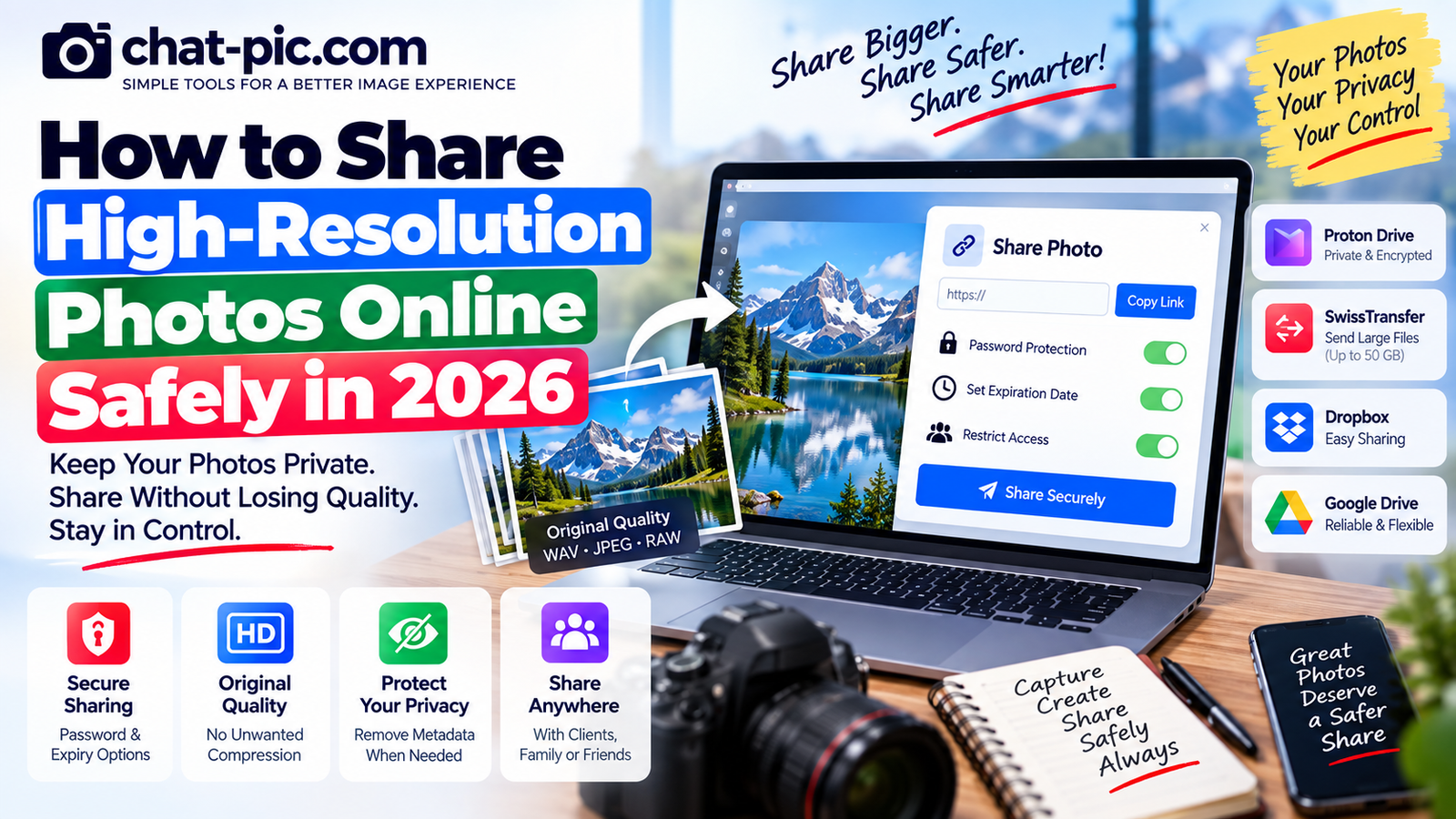
High-resolution photos contain more detail, look better on large screens, and are useful for printing, editing, client work and long-term storage. The right privacy settings make it easier to share high-resolution photos online safely without giving unnecessary access.
But large original photos also require more care when you share them online.
A high-resolution image may contain much more than the picture you see. It can include EXIF metadata, capture dates, camera information and sometimes GPS location. A large original also gives the recipient access to more visual detail than a small web-sized copy.
If you want to share high-resolution photos online safely, you should think about three things at the same time:
image quality, access control and privacy.
The safest method is not always the fastest upload button. Sometimes you should send the original file. In other situations, a resized or metadata-cleaned copy is better.
This guide explains how to choose the right approach in 2026.
What Is a High-Resolution Photo?
There is no single pixel count that automatically makes an image “high resolution.”
In general, the term refers to photographs containing enough pixels and detail for demanding uses such as:
- Large displays
- Professional editing
- Printing
- Photography delivery
- Marketing material
- Design work
- Archiving
A modern phone photograph may be several thousand pixels wide.
Professional cameras can produce even larger JPEG or RAW files.
For example, an image measuring 6000 × 4000 contains 24 million pixels.
That can be useful for a print or editing project, but it may be unnecessary when somebody only needs to see the photograph on a phone.
Why High-Resolution Photos Need Extra Care
A larger image does not automatically create a privacy problem.
However, high-resolution originals can reveal details that smaller copies may make harder to see.
A viewer may be able to zoom in and read:
- Documents
- Street numbers
- Computer screens
- Name badges
- Vehicle plates
- Background signs
- Personal mail
- Small labels
The original file may also contain metadata.
Therefore, before sending the largest available version, ask:
Does the recipient actually need the original?
If the answer is no, creating a sharing copy can provide more control.
Best Ways to Share High-Resolution Photos Online Safely
There are several good methods.
The correct choice depends on whether you need temporary delivery, long-term storage, encryption or simple client access.
| Method | Best For | Account for Recipient? | Main Privacy Control |
|---|---|---|---|
| Proton Drive | Sensitive/private photos | Not for public link | Password, expiry, revoke access |
| SwissTransfer | Very large temporary transfers | No registration | Temporary transfer |
| Dropbox | Client/team delivery | Not for view-only link | Link and account permissions |
| Google Drive | Everyday cloud sharing | Depends on settings | Restricted or link access |
| Direct file transfer | Known recipient | Depends on method | Varies |
1. Proton Drive — Strong Choice for Sensitive High-Resolution Photos
For private or sensitive images, Proton Drive provides useful sharing controls.
Proton says its files are protected with end-to-end encryption. Public sharing links can be opened by recipients without a Proton account, and the sender can add a password or expiration date. Access can also be revoked later.
This combination is useful when you want to share:
- Private family photographs
- Client images
- Sensitive documents captured as photos
- Original photography
- High-resolution business images
- Large RAW or JPEG files
Proton also says it does not impose a separate upload-size limit beyond the storage available in the user’s account, making its Drive suitable for large files such as RAW photographs.
Add a password for extra protection
If the photograph is sensitive, do not rely only on possession of the URL.
Proton lets you add a password to a shared link and optionally set an expiration date.
A useful approach is to send:
the sharing link through one channel
and
the password through another trusted channel.
Remember: the link is still important
Proton warns that anyone who has an unrestricted public link can access the item.
So even an encrypted storage platform cannot protect you if you publicly post the access link.
2. SwissTransfer — Excellent for Very Large Temporary Photo Transfers
If your main goal is to send a large batch of original photographs without creating a permanent cloud library, SwissTransfer is a useful option.
Its current service advertises:
- Transfers up to 50 GB
- No registration required
- Files stored in Switzerland
- Transfers available for up to 30 days
This is useful for:
- Wedding photography
- Event albums
- Travel photographs
- High-resolution client exports
- Large photo folders
- Camera files
Instead of reducing image quality just to fit a small attachment limit, you can send the actual files.
When temporary transfer is better
Temporary sharing makes sense when the recipient only needs to download the photographs.
There may be no reason to keep a 20 GB photo collection online indefinitely after the recipient has safely received it.
3. Dropbox — Useful for Client and Team Photo Delivery
Dropbox works well when photographs need to remain organized in folders.
Its current documentation says shared files and folders can be sent directly to specific people. If a recipient does not have or does not want to use a Dropbox account, a view-only link can be used instead.
This makes Dropbox practical for:
- Photographers
- Designers
- Website teams
- Marketing departments
- Client delivery
- Repeated project access
Instead of sending 50 individual images, create a project folder and share access.
For professional work, this is usually much cleaner.
4. Google Drive — Convenient for Everyday Sharing
Google Drive is useful when both you and the recipient already use Google services.
A folder can be shared with selected people or configured for broader link access.
Google’s current Drive documentation makes an important distinction: if a folder is set to Anyone with the link, access is no longer restricted to individually approved people.
For private photographs, use the most restrictive setting that still meets your needs.
Better privacy
Share directly with specific accounts or approved recipients.
More convenience
Use an “Anyone with the link” option when appropriate.
The second option is easier, but the link can also be forwarded.
Share the Original File When Exact Quality Matters
If the recipient needs the photo for:
- Printing
- Professional editing
- Retouching
- Archival storage
- Commercial design
- Publication
send the original file or a deliberate high-quality export.
Do not take a screenshot of the photograph.
Do not download a compressed social-media version and send that as the “original.”
The original should come directly from your camera, phone, editing software or original photo archive.
When You Should NOT Send the Original
Sometimes sharing the original provides no practical benefit.
Suppose a person only needs a picture for a blog article displayed at 1000 pixels wide.
Sending a 6000-pixel camera original:
- Uses more bandwidth
- Takes longer to upload
- Requires more storage
- Gives away more resolution than necessary
Instead, make a separate copy.
Use the Chat Pic Image Resizer:
Make the words Chat Pic Image Resizer clickable with that URL.
Keep the original safely stored and share the smaller version.
Remove Location Metadata Before Sharing Personal Originals
High-resolution camera and phone files may include metadata.
Depending on the device and settings, this can include:
- Camera model
- Capture date
- Capture time
- Lens details
- Editing information
- GPS coordinates
For private images, you may not want all of that information to travel with the file.
Before sharing a personal photo, use the Chat Pic EXIF Metadata Remover:
Make the words Chat Pic EXIF Metadata Remover clickable.
Create a clean copy and send that instead of modifying your only original.
Visible Privacy Risks Matter Too
Removing EXIF information does not hide information visible in the image.
Before sending a high-resolution photograph, zoom into it yourself.
Check the background.
Look for:
- Addresses
- ID cards
- School names
- Vehicle numbers
- Work documents
- Passwords written on notes
- Computer monitors
- Personal correspondence
- Reflections
- Children’s identifying information
This is particularly important with high-resolution images because recipients can zoom in much further.
Compress Only When You Do Not Need an Exact Original
If the recipient needs the exact original file, do not recompress it.
If they only need a high-quality viewing copy, compression can be useful.
Use the Chat Pic Image Compressor:
Make the words Chat Pic Image Compressor clickable.
A high-quality JPG or WebP copy may be dramatically smaller while still looking excellent on normal screens.
This makes uploading faster and reduces storage.
Share High-Resolution Photos Online Safely With the Right Permissions
When you share high-resolution photos online safely, the sharing settings matter as much as the platform.
Before sending the URL, ask:
Who should have access?
For private photos, prefer named recipients where practical.
If you must use a public-style sharing link, use available security options such as:
- Password protection
- Expiration date
- Viewer-only access
- Access revocation
Proton Drive supports all of these types of controls for shared files and folders.
Viewer vs Editor Permissions
Do not give editing rights unless the recipient actually needs them.
For example, Proton Drive supports Viewer and Editor permissions. Editors can have broader abilities, including adding or modifying content depending on the shared item and settings.
Google Drive similarly provides roles such as Viewer, Commenter and Editor for supported shared content.
For normal photo delivery:
Viewer access is usually enough.
Use Expiring Links for One-Time Delivery
An expiration date can reduce how long a link remains useful.
Suppose you send a client a private photo folder and they download everything within three days.
There may be no reason for the sharing link to remain active six months later.
Proton Drive lets you set expiration dates on public sharing links.
Temporary transfer services such as SwissTransfer are also useful when long-term storage is unnecessary.
Revoke Links After They Are No Longer Needed
If the platform allows it, stop sharing after the transfer is complete.
Proton lets users stop sharing and disable access through a public link.
This does not remove files the recipient has already downloaded.
But it does prevent the old sharing link from continuing to provide future access.
Downloaded Copies Cannot Be Recalled
This is one of the most important privacy rules.
Once a recipient downloads your high-resolution photo, you cannot normally remove that local copy from their device.
Even the strongest cloud access controls only control access to your hosted copy.
Therefore:
Only give access to people you trust.
Password protection and expiration dates reduce accidental exposure, but they cannot prevent every intentional copy.
High-Resolution Photos for Professional Clients
Photographers usually need a different workflow from casual family sharing.
A professional delivery can include:
Preview copies for selection
and
full-resolution files for final delivery.
This has several advantages.
The client does not need to download dozens of huge originals just to choose their favorites.
After selection, you can deliver the final high-resolution files through Proton Drive, Dropbox, SwissTransfer or another suitable file-sharing service.
High-Resolution Photos for Printing
Printing normally requires more resolution than casual screen viewing.
Do not send a tiny social-media export if somebody intends to make a large print.
Provide the original or an appropriately sized high-resolution export.
If the file is too large for email, use a cloud or file-transfer link.
Do not reduce image quality solely because an email attachment limit is inconvenient.
Sharing RAW Photos
RAW photographs can be extremely large.
They also contain much more camera data than a normal final JPG.
Share RAW files only when the recipient actually needs to edit them.
Examples include:
- Professional retouchers
- Photo editors
- Other photographers
- Archival workflows
For ordinary clients who only need finished photographs, high-quality JPEG exports are usually easier to manage.
ZIP Large Photo Collections
If you need to send many separate images, packaging them into a ZIP archive can make the transfer easier to organize.
Do not expect a huge reduction in size if the photographs are already JPEG files.
JPEG data is already compressed.
The main benefit of ZIP in this situation is:
one organized downloadable package instead of hundreds of separate files.
Should You Email High-Resolution Photos?
Email can work for a small number of moderate-size photos.
It becomes inconvenient with large batches.
Attachment-size limits vary between providers, and large files may eventually be converted into cloud links anyway.
For significant photo collections, dedicated file transfer is usually cleaner.
Avoid Sharing Only Through Social Media
Social platforms are designed primarily for viewing and engagement, not professional original-file delivery.
They may process uploaded images for their own display systems.
If somebody needs the actual high-resolution source file, give them a direct file or cloud-transfer link rather than asking them to download an image from your social post.
Keep social media for presentation.
Keep file transfer for original delivery.
Use Different Copies for Different Purposes
A useful photo workflow is:
Original master
Keep privately.
High-resolution delivery copy
For printing or clients.
Web copy
Resized and compressed.
Social copy
Formatted for the specific platform.
Privacy copy
Metadata removed when appropriate.
This protects your original and prevents repeated editing of the same file.
How to Share High-Resolution Photos Online Safely: Simple Workflow
Follow this process:
- Keep your original image backed up.
- Decide whether the recipient genuinely needs full resolution.
- Inspect the image for visible private details.
- Remove unnecessary location or EXIF metadata when appropriate.
- Do not resize if the recipient needs the original dimensions.
- Use a secure file-transfer or cloud service.
- Use Viewer rather than Editor access unless editing is necessary.
- Add password protection for sensitive links when supported.
- Add an expiration date when long-term access is unnecessary.
- Send the link privately.
- Confirm that the recipient downloaded the files.
- Revoke or expire unnecessary sharing links afterward.
This workflow protects quality without ignoring privacy.
What About Family Photos?
Families often care more about convenience than professional file delivery.
For ordinary family albums, a familiar cloud or photo-sharing platform may be enough.
But think carefully before sharing original photographs containing:
- Children
- Home locations
- School information
- Documents
- Travel details
If the family only needs to view them on phones, a resized copy may be perfectly sufficient.
You do not have to distribute the full original simply because it exists.
What About Travel Photos?
Travel photography may contain GPS information.
That metadata can be useful for your own private archive.
You do not necessarily need to remove it from the original.
Instead:
Keep the original with metadata in your own library.
Create a separate metadata-cleaned sharing copy when privacy matters.
This preserves both organization and privacy.
Website Owners Should Usually Avoid Camera Originals
A website usually does not need a 20 MB high-resolution photograph.
For web publishing:
Resize the image to sensible dimensions.
Compress the resized copy.
Use an efficient format.
Keep the camera original somewhere else.
This is better for both your users and your server storage.
Security Checklist Before Sending a Link
Before clicking Send, check:
- Is this the correct file?
- Is the recipient correct?
- Does the photo contain private details?
- Does the file contain unnecessary location metadata?
- Is access restricted appropriately?
- Does the recipient need download access?
- Does the recipient need editing access?
- Should the link expire?
- Should the link have a password?
- Did you accidentally paste the link into a public conversation?
A 20-second check can prevent a much larger privacy problem.
Frequently Asked Questions
What is the safest way to share high-resolution photos?
For sensitive photographs, use a secure file-sharing platform with strong access controls. Proton Drive provides end-to-end encryption, password-protected links, expiration dates and access revocation.
Can I send 50 GB of high-resolution photos without creating an account?
SwissTransfer currently allows transfers of up to 50 GB without registration and can keep a transfer available for up to 30 days.
Does resizing reduce photo resolution?
Yes. Resizing changes the pixel dimensions. If the recipient needs the original resolution for printing or professional editing, send the original file instead.
Should I remove EXIF metadata before sharing?
For personal or sensitive photographs, removing unnecessary metadata can be a useful privacy step. Keep the original separately if you want to preserve its camera and location information.
Can Dropbox recipients view a shared photo without an account?
Dropbox says a view-only link can be used when the recipient does not have a Dropbox account or does not want to log in.
Is “Anyone with the link” private?
It provides convenient link-based access, but anyone who obtains the active URL may potentially use it. For private content, direct recipient access or password-protected sharing provides better control. Proton explicitly warns that anyone with an unrestricted public link can access the shared item.
Can I remove a photo after somebody downloads it?
You can stop hosting or revoke access to your shared copy, but you cannot normally delete a file that the recipient has already downloaded onto their own device.
Should I compress high-resolution photos before sending them?
Only if the recipient does not require the exact original. For printing, archiving or professional editing, transfer the original or an intentional high-quality export.
Final Thoughts
Learning how to share high-resolution photos online safely means protecting both image quality and personal information. To share high-resolution photos online safely, use secure links, remove unnecessary metadata and give access only to trusted people.
When the recipient needs the exact original, use a proper file-transfer or cloud-storage service rather than reducing quality just to fit a small attachment.
For sensitive photographs, use access controls such as passwords, expiration dates and restricted recipients.
When full resolution is unnecessary, create a separate resized or compressed copy.
And before sharing personal photographs, inspect both the visible image and its hidden metadata.
The best workflow is simple:
Keep the original private. Prepare the right copy. Share it through the right method.
That gives you better quality, better privacy and much more control over your photographs.